AI & Content Creation
AI Prompts for Content Creation: A 10-Minute Daily Routine for Busy Parents
This post contains affiliate links. If you buy through them, I may earn a commission at no extra cost to you. I only recommend tools I’d share with someone I was working with directly.
If you’re a parent building an online income, you already know the hardest part isn’t the idea. It’s the time. You sit down during naptime or after bedtime, and the blog post, the captions, the video script and the email all compete for the same 30 minutes.
You started this to get more time with your kids, not less: the unscheduled hugs, the spontaneous afternoon at the park, simply being there. But content creation can quietly turn into a second full-time job, and before long you’ve traded one grind for another.
The fix isn’t working harder. It’s learning to write better AI prompts for content creation. In this guide you’ll get a simple 4-part prompt formula, three copy-and-paste prompts, and a routine that gets your content for the day done in about 10 minutes, once your prompts are set up.
AI isn’t here to replace your voice, your creativity or your story. Think of it as an assistant that handles the first draft, so you can spend your energy on the part only you can add.
My story
I’ll be honest: for a long time, I believed social media and AI would take forever to learn. I’d sit down with my laptop, stare at a blank screen and have no idea where to start.
When I finally tried, it didn’t go smoothly. It took me days to get a prompt that actually worked for me, and days more to set up a plan for my social media and my digital products. And those products? I made a few that never went online, simply because I didn’t believe they were perfect yet.
Everything changed when I stopped asking AI questions and started giving it direction. Once I told it who to be and gave it a clear task first, the drafts finally sounded like me, and I had something I was ready to share.
Sound familiar? If you have an idea, or even a finished product, that never went online because it didn’t feel perfect yet, that’s exactly why I created Package Your Knowledge. It helps you find your angle, shape it into a real product and sketch the simplest way to sell it, all in under an hour.
Those days of trial and error are exactly what I want to save you from. Here’s the shortcut I wish I’d had.
Stop Searching, Start Delegating: The Secret to Better AI Results
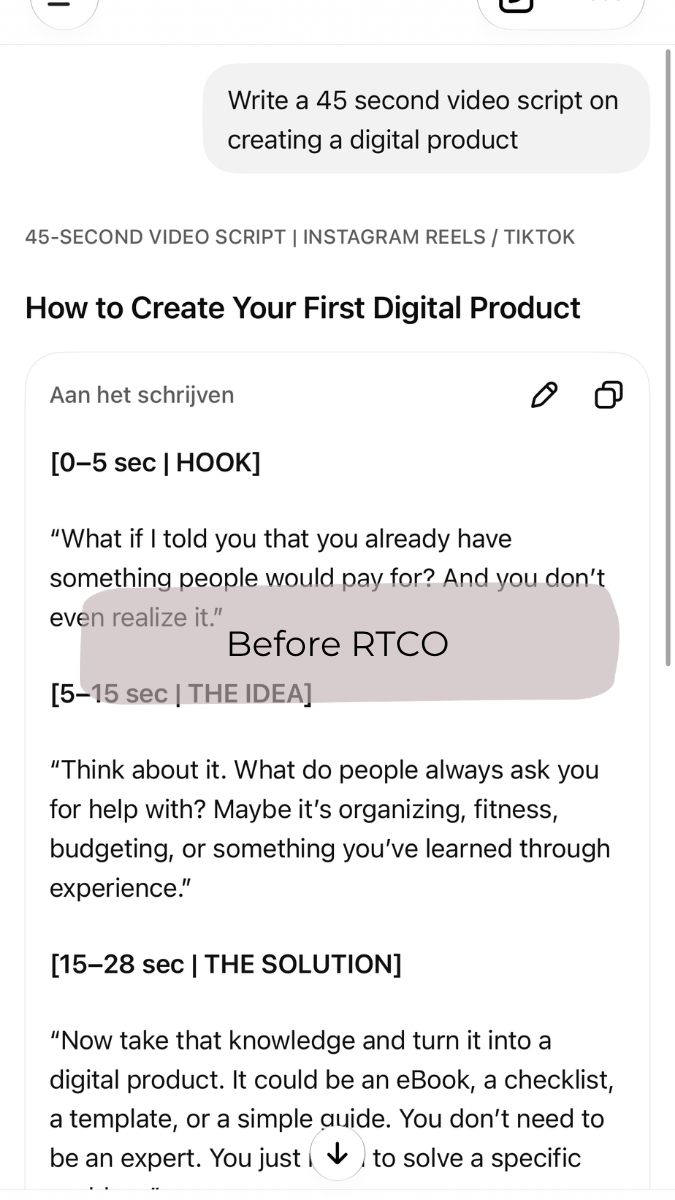
The biggest mistake most people make with tools like ChatGPT or Claude is treating them like Google. They type short, vague requests such as:
- “Write a blog post about online income for moms.”
- “Give me 5 Instagram ideas.”
The result? Generic text that sounds like a textbook and doesn’t connect with real people.
To make AI work for you, shift from asking questions to delegating tasks. Imagine hiring a brilliant assistant. If you just said “Write a newsletter,” they’d have a dozen questions: Who is it for? What tone should I use? What is the goal?
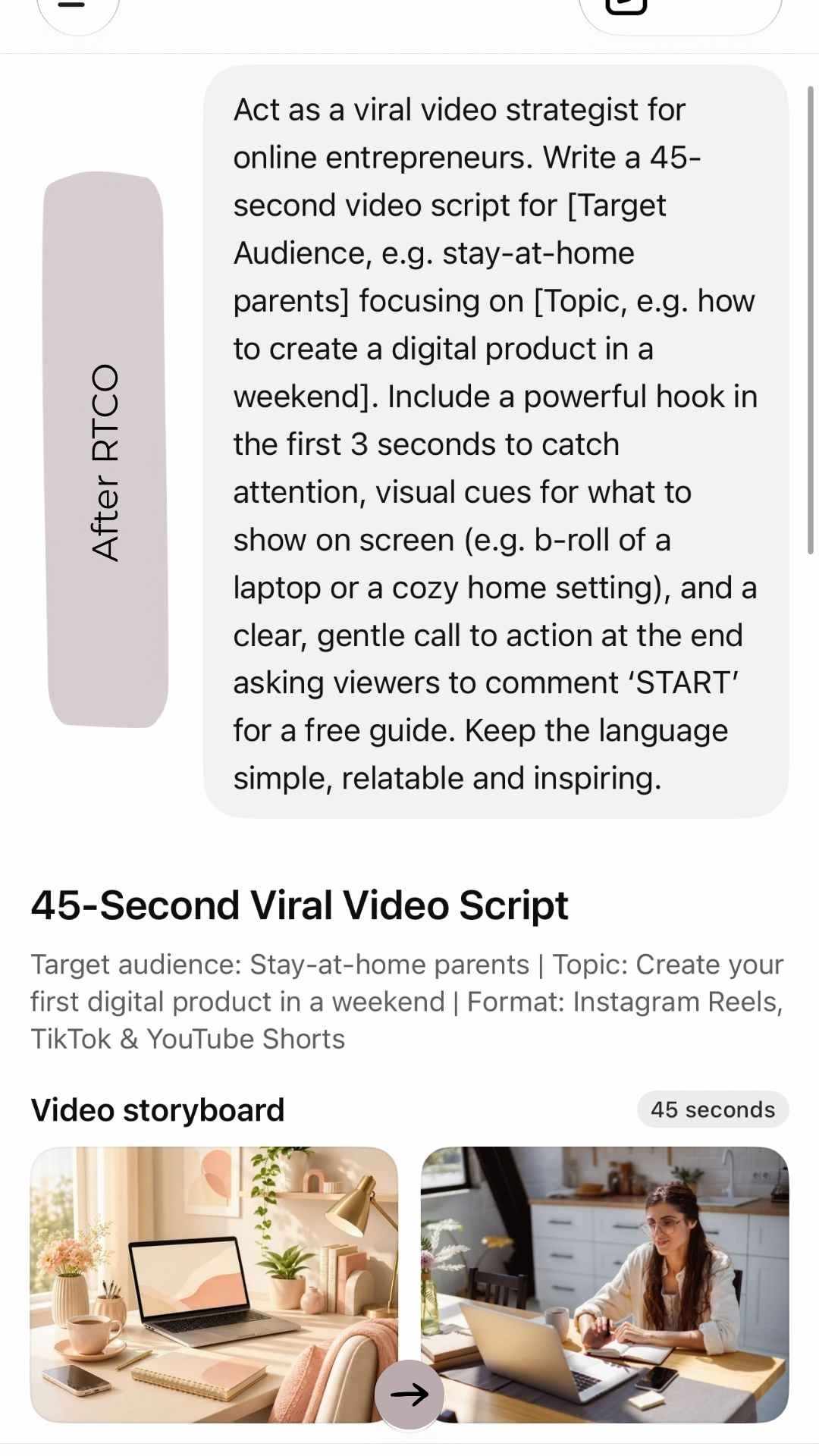
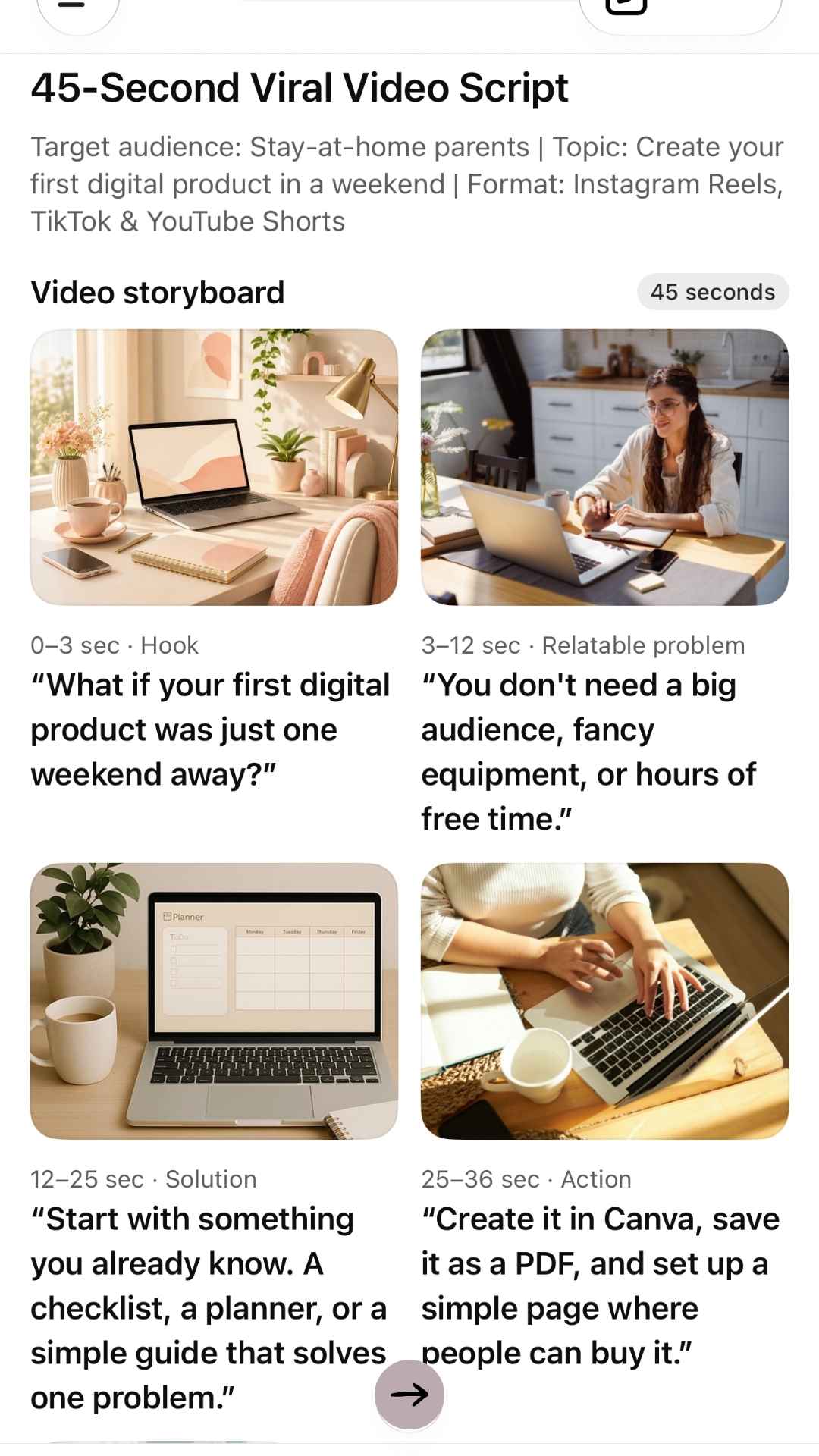
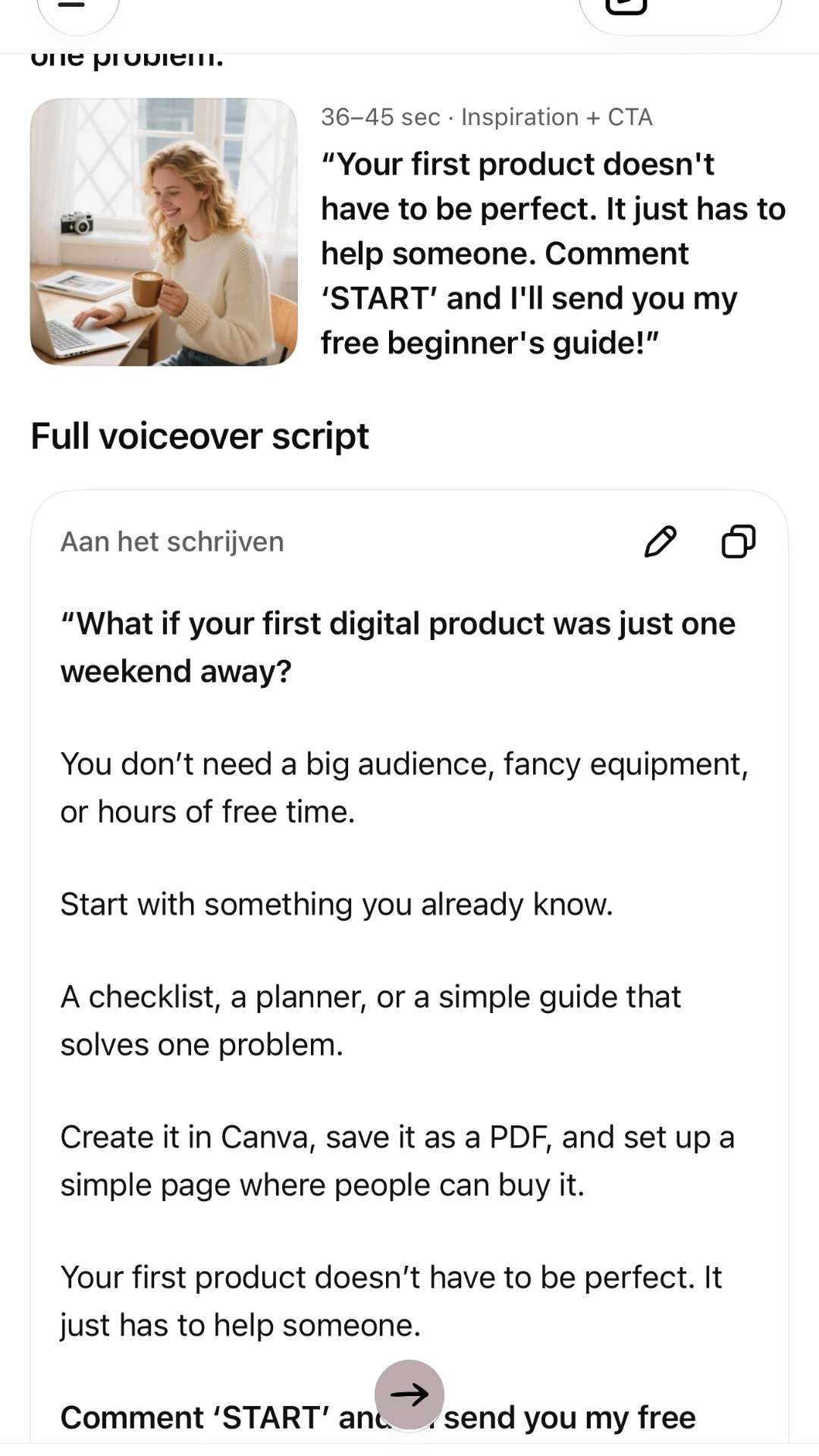
AI works the same way. Give it context, limits and a clear role, and your first draft gets much better. Here’s what that difference looks like:
The 4-Part Formula for Prompts That Sound Like You (R.T.C.O.)
To get human-sounding results on the first try, build every prompt from these four parts:
R
Role
Tell the AI who it needs to be.
“Act as a direct-response copywriter and supportive online mentor for busy parents.”
T
Task
State exactly what you want created.
“Write three engaging short-form video scripts about time management.”
C
Context & Audience
Explain who the content is for and what problem it solves.
“The audience is parents who want to earn an income online so they can stay home with their children.”
O
Outcome & Constraints
Define the tone, length, format and what to avoid.
“Keep the tone warm, encouraging and actionable. Avoid corporate jargon. Keep each script under 60 seconds.”
Structured this way, your prompt closes the gap between generic AI text and content that actually sounds like you.
3 Copy-and-Paste Prompts for Your 10-Minute Work Window
These three prompts are written for creators balancing business and family life. Copy them, fill in the [brackets], and save them somewhere you can find them again (a note on your phone works fine). Saving them once is what makes the 10-minute routine possible.
1. The Faceless Video Script Generator
Want to show up on Instagram Reels, YouTube Shorts or TikTok without being on camera? This prompt gives you the hook, the script and the visual cues in one go. New to faceless video? Read How to Create Scroll-Stopping Videos Without Filming a Single Clip first.
Prompt
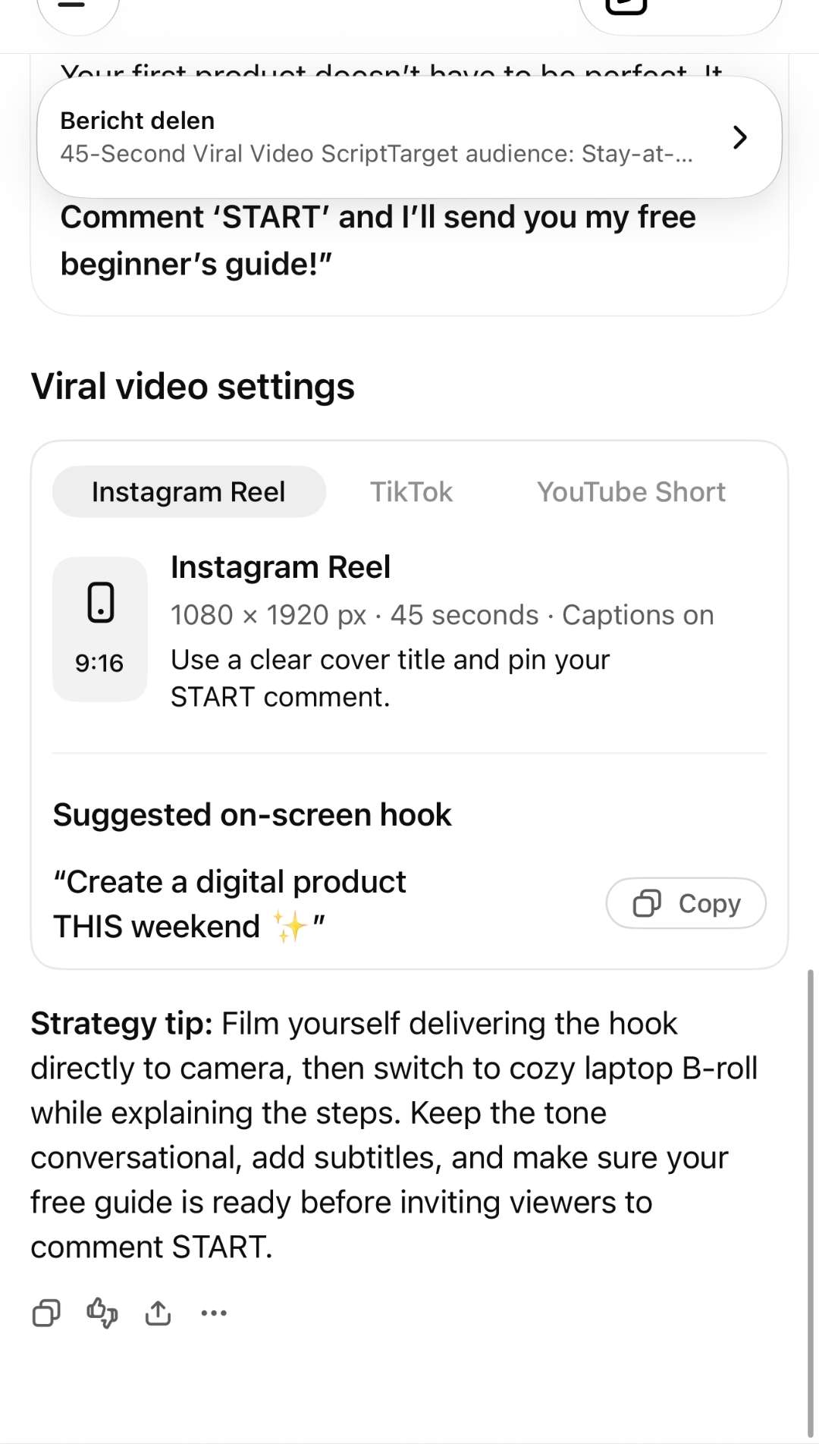
Act as a viral video strategist for online entrepreneurs. Write a 45-second video script for [Target Audience, e.g. stay-at-home parents] focusing on [Topic, e.g. how to create a digital product in a weekend]. Include a powerful hook in the first 3 seconds to catch attention, visual cues for what to show on screen (e.g. b-roll of a laptop or a cozy home setting), and a clear, gentle call to action at the end asking viewers to comment ‘START’ for a free guide. Keep the language simple, relatable and inspiring.
Once your script is ready, you can turn it into a studio-quality AI video without ever picking up a camera. For this step I recommend this AI video tool (affiliate link): type your script and it builds the video for you, with voice, visuals and captions. Still looking for a product to talk about? Get ideas from 5 types of digital products you can create.
2. The Blog Post Outline & Draft Engine
Instead of staring at a blank page, use this prompt to get a complete first draft that you then personalize with your own stories.
Prompt
Act as an expert content writer for an online business blog aimed at parents seeking financial freedom. Outline and write a comprehensive blog post titled ‘[Insert Your Working Title]’. Break the article into clear sections with descriptive H2 headings. For each section, provide practical, step-by-step advice. Write in an approachable, encouraging voice, as if speaking to a friend over coffee. Include a brief concluding paragraph with a call to action.
Clear H2 headings help readers skim, and they help Google understand your post too. Learn more in SEO Made Simple: How to Get Found Online.
3. The Multi-Platform Content Repurposer
Don’t create content from scratch for every platform. Take one piece (a blog post, a video script or a product description) and let AI adapt it for everywhere else.
Prompt
I am going to paste a piece of content below. Read it carefully and repurpose it into: 1) one engaging email newsletter with a catchy subject line, 2) two short Instagram captions with bullet points, 3) one Pinterest pin title and description, and 4) three quick text post ideas. Keep a personal, encouraging tone suited to busy parents building an online income.
[PASTE YOUR CONTENT HERE]
Not sure which platform deserves your limited time? I compare Instagram (warm sales) and Pinterest (cold sales) in How to Build & Sell Your First Digital Product.
The 10-Minute Routine: From Prompt to Published
Here’s what a typical day looks like once your prompts are saved:
Open your saved prompt, fill in today’s topic and paste it into your AI tool.
Read the draft and make it yours. Change about 15–20% of the words: add a real family moment or your own opinion, and check any facts or numbers.
Copy the finished text into your scheduler, newsletter platform or video tool.
Be realistic about your first week. Setting up and fine-tuning your prompts takes longer the first few times, so plan one longer naptime session to get them right. After that, 10 minutes a day is enough for a social post, an email or a short video script.
Then you close the laptop and spend the rest of the day with your children, knowing your business is still moving forward.
Frequently Asked Questions
Is it okay to use AI-written content on my blog?
Yes. Google looks at whether content is helpful and original, not at how it was written. Just don’t publish the raw draft: add your own experience, check the facts, and make sure it really answers your reader’s question.
Which AI tool should I start with?
ChatGPT and Claude both have free versions that work well with these prompts. Pick one and stick with it for a few weeks. Your prompts matter more than the tool.
How do I make AI content sound like me?
Use the R.T.C.O. formula, describe your tone in the Outcome & Constraints part, and always add one personal detail before you publish. You can also paste in a few paragraphs you wrote yourself and ask the AI to match that style.
How long does this really take?
Plan one longer session at the start to set up and test your prompts. After that, about 10 minutes a day for a social post, email or short script. A long blog post takes a little more time to personalize, but far less than writing it from scratch.
Reclaim Your Time, Reclaim Your Life
Building an online income was never supposed to mean 12 hours a day at a laptop. It was supposed to give you options, freedom, and time with the people you love most.
With well-written AI prompts, you don’t have to choose between growing your business and being present at home. Let AI handle the first draft, so you spend less time creating content and more time creating memories.
Digital Guide · $27
Ready to turn what you know into something you can sell?
These prompts help you talk about your business in 10 minutes a day, but first you need something worth talking about. Package Your Knowledge is my short, no-fluff guide that helps you find your angle, shape it into a real digital product and sketch the simplest way to sell it, all in under an hour.
Get Package Your Knowledge — $27Instant PDF download · Start in the next 5 minutes
Ready for the full system? The Internet Millionaire training I recommend (affiliate link) is a step-by-step home-study course that shows you what to create, how to set up a storefront that sells for you, and how to get your offer in front of buyers.